# 安装TensorFlow(内置Keras,包含MNIST数据集)
pip install tensorflow==2.15.0  # 指定稳定版本,避免兼容性问题
# 辅助库:数据可视化、数值计算
pip install matplotlib numpy
import tensorflow as tf
import numpy as np
import matplotlib.pyplot as plt
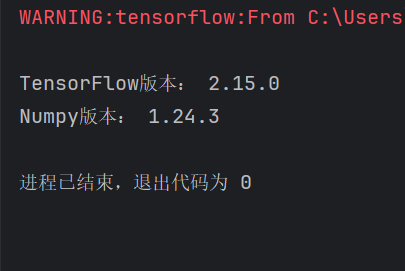
# 打印版本,无报错则安装成功
print("TensorFlow版本:", tf.__version__)
print("Numpy版本:", np.__version__)终端显示如下画面
1. 加载数据集
# 加载MNIST数据集(自动下载到本地,首次运行需等待)
(x_train, y_train), (x_test, y_test) = tf.keras.datasets.mnist.load_data()

# 查看数据维度(理解数据结构)
print("训练集图片维度:", x_train.shape)  # (60000, 28, 28) → 6万张、28×28像素
print("训练集标签维度:", y_train.shape)  # (60000,) → 6万个标签
print("测试集图片维度:", x_test.shape)    # (10000, 28, 28)
print("测试集标签维度:", y_test.shape)    # (10000,)

# 查看数据取值范围(灰度图像素值0-255)
print("像素值范围:", x_train.min(), "~", x_train.max())  # 0 ~ 255