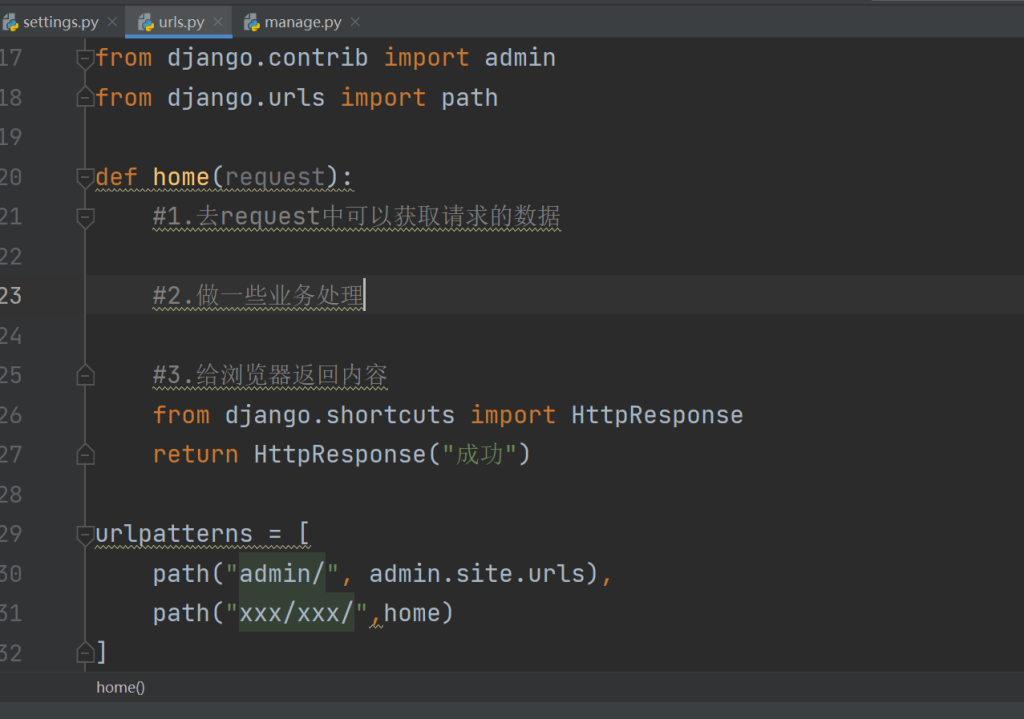
1.快速编写URL和视图函数
urls.py
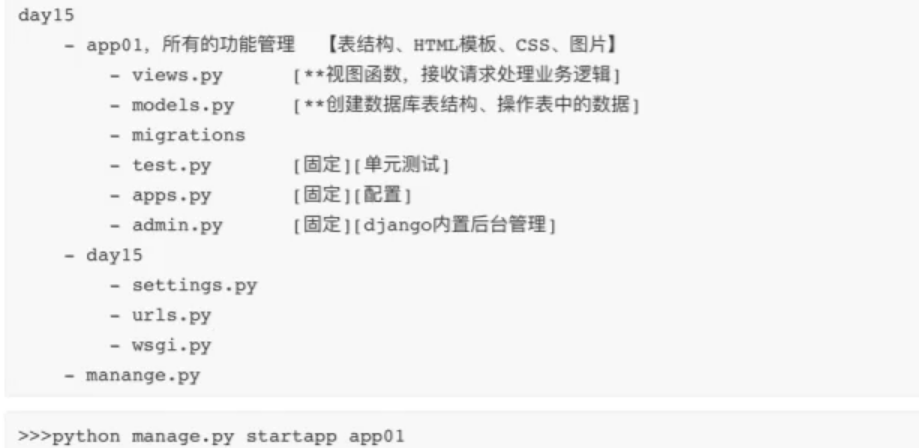
2.app概念
3.html模板
优先去项目根目录找,在setting.py文件dir下配置好
第二个可以去已注册的app的templates目录下寻找
4.模板视图传参逻辑
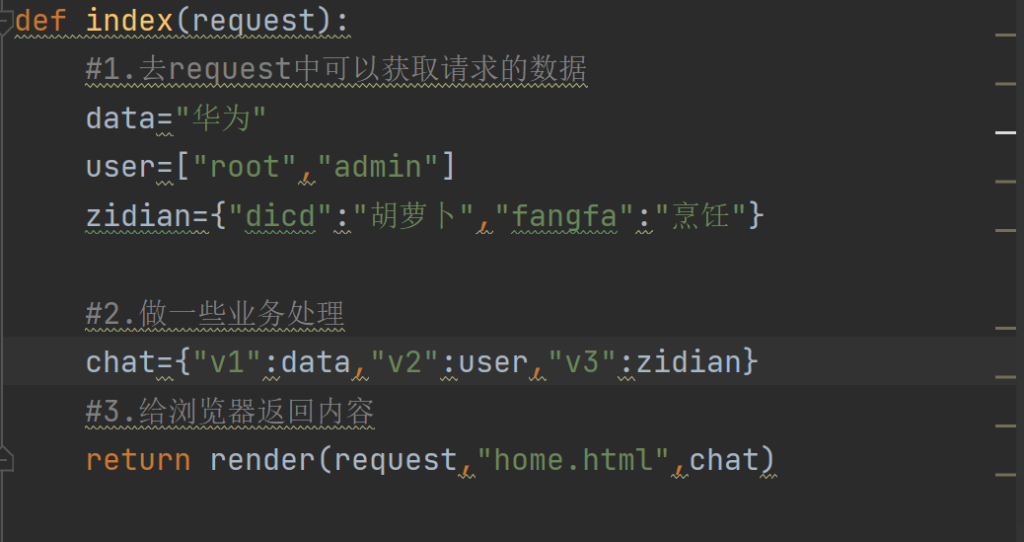
home.html
<!DOCTYPE html>
<html lang="en">
<head>
    <meta charset="UTF-8">
    <title>Title</title>
</head>
<body>
<div>
    {{ v1 }}
</div>
<v1>
    {{ v2.0 }}
</v1>
<v2>
    {{ v2.1 }}
</v2>
<v3>
    {% for item in v2 %}
        <div>{{item}}</div>
    {% endfor %}
</v3>
<V4>
    {{ v3.dicd }}
    {{ v3.fangfa }}
    {{ v3.dicd }}
    {{ v3.keys }}
    {{ v3.values }}
    {% for key in v3.keys %}
        <div>{{ key }}</div>
    {% endfor %}
    {% for value in v3.values %}
        <div>{{ value }}</div>
    {% endfor %}
    {% for k,v in v3.items %}
        <DIV>{{ k }}------{{ v }}</DIV>
    {% endfor %}
</V4>
</body>
</html>
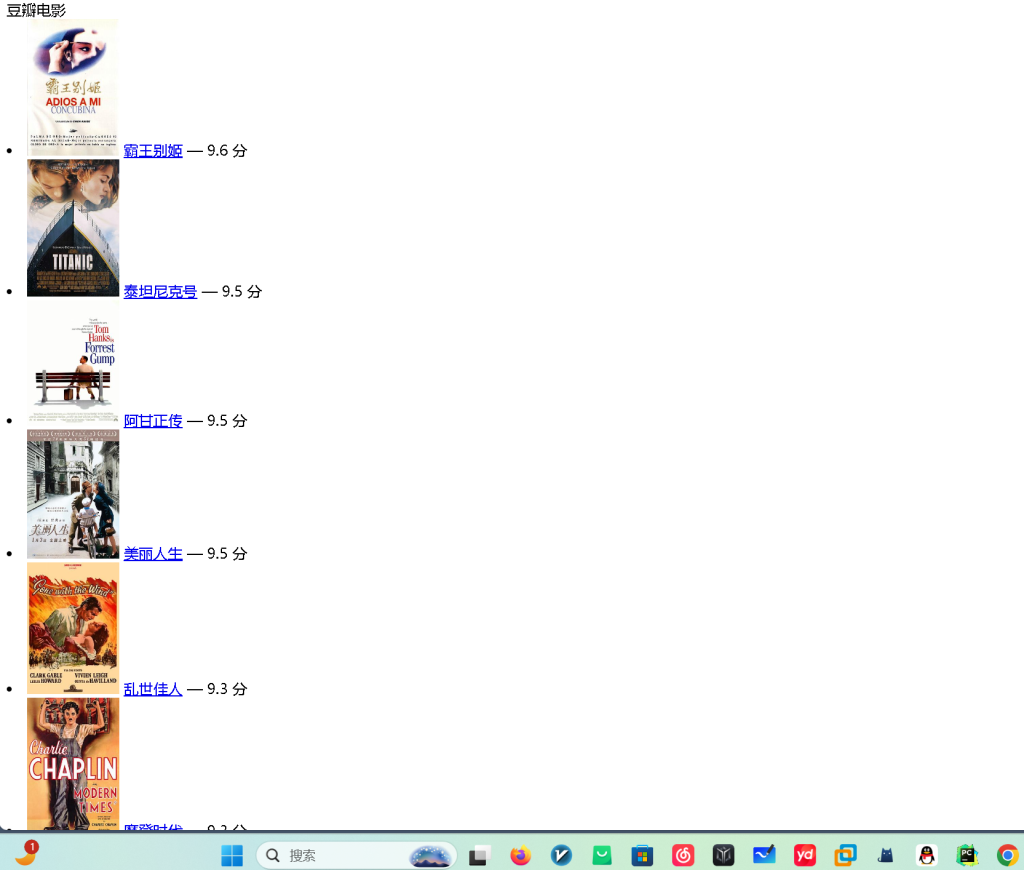
5.豆瓣例子
douban.html
<!DOCTYPE html>
<html lang="en">
<head>
    <meta charset="UTF-8">
    <title>豆瓣电影</title>
</head>
<body>
<v>豆瓣电影</v>
{% for item in v1 %}
    <li>
        <img src="{{ item.cover_url }}" alt="{{ item.title }}" style="width:100px;">
        <a href="{{ item.url }}">{{ item.title }}</a> — {{ item.score }} 分
    </li>
{% endfor %}

</body>
</html>
豆瓣功能函数
def douban(request):
    import requests
    res =requests.get(
        url="https://movie.douban.com/j/chart/top_list?type=13&interval_id=100%3A90&action=",
        headers={
            "user-agent": "Mozilla/5.0 (Macintosh; Intel Mac OS X 10.15; rv:102.0) Gecko/20100101 Firefox/102.0"
        }
    )
    print(res.json())
    data=res.json()
    return render(request,"douban.html",{'v1':data})
效果图
6.静态路径
只要将app注册到配置文件,找静态资源的时候就会从配置中app注册的顺序来按顺序找资源,static下,不管是最外层的还是app的都有(顺序是先找外面再按顺序找里面注册的),里面放着我们的组件和自己编写的js,css,images
7.请求与响应
两种请求get和post,在url里传参和post请求体里面带数据。
三种返回,第一个是文本字符串,第二个是返回重定向页面,第三个是返回html页面加数据渲染
8.登录界面(post,get区别编写)
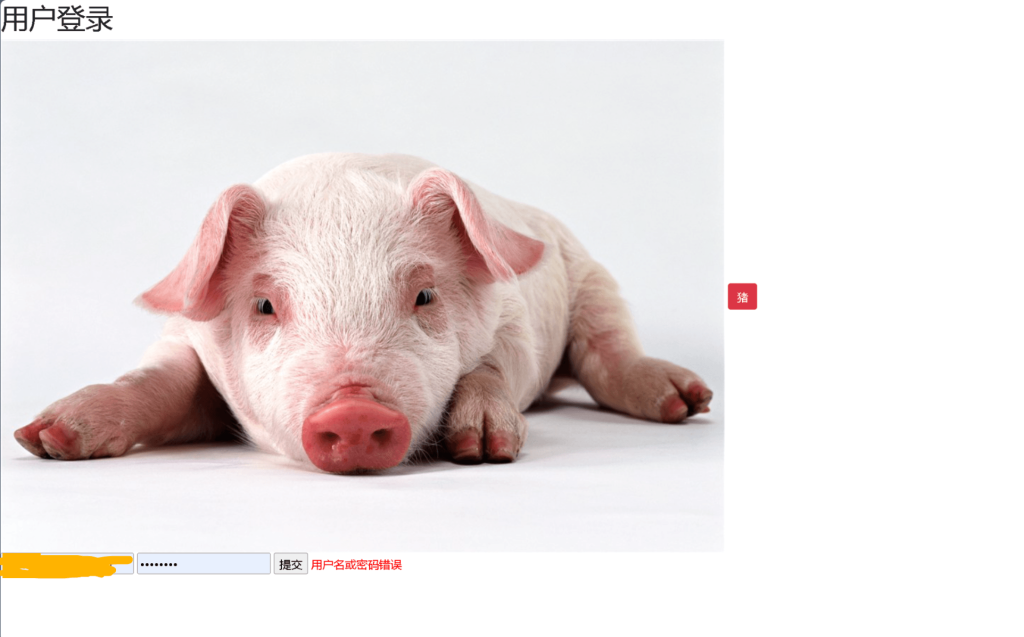
login.html
{% load static %}
<!DOCTYPE html>
<html lang="en">
<head>
    <meta charset="UTF-8">
    <title>Title</title>
    <link rel="stylesheet" href="{% static 'plugins/bootstrap/css/bootstrap.css' %}">
</head>
<body>
    <h1>用户登录</h1>
    <img src="{% static 'images/R-C.jpg' %}">
    <a href="#" class="btn btn-danger">猪</a>
    <form action="/login/" method="post">
        {% csrf_token %}
        <input type="text" name="username" placeholder="输入用户名">
        <input type="password" name="password" placeholder="输入密码">
        <input type="submit" value ="提交">
        <span style="color:red;">{{ error }}</span>
    </form>
</body>
</html>
{% csrf_token %}是模板标签,防止跨站请求攻击,用户第一次访问时会拿走我们服务器上的令牌,之后会带着令牌来,以保证交互对象是用户的安全性。
def login(request):
#     import sys
#     #1.获取请求方式f
#     print(request.method)
#
#     #2.获取url传递的参数/login/?n1=123&n2=999&n3=666
#     print(request.GET)
# #wwwwwwww
#
#     print(request.GET.get('n1'))
#     print(request.POST)
#     return redirect('http://www.baidu.com')
    if request.method=="GET":
        return render(request,"login.html")
    else:
        pwd=request.POST.get("password")
        usr=request.POST.get("username")
        if pwd=="13" and usr=="dashuaibi":
            return redirect("http://www.baidu.com")
        else:
            print("登录失败")
            return render(request,"login.html",{"error":"用户名或密码错误"})
美化登录页面,login.html
{% load static %}
<!DOCTYPE html>
<html lang="en">
<head>
    <meta charset="UTF-8">
    <title>Title</title>
    <link rel="stylesheet" href="{% static 'plugins/bootstrap/css/bootstrap.css' %}">
    <style>
        .box {
            width: 400px;
            margin-top: 100px;
            margin-left: auto;
            margin-right: auto;
            border: 1px solid #dddddd;
            border-radius: 5px;
            padding-left: 30px;
            padding-right: 30px;
            padding-bottom: 30px;
            -webkit-box-shadow: 10px 10px 10px rgb(0 0 0 / 5%);
            box-shadow: 10px 10px 10px rgb(0 0 0 / 5%);
        }

        .box h2 {
            text-align: center;
            margin-bottom: 20px;
        }
    </style>
</head>
<body>
    <div class="box">
        <h2>用户登录</h2>
        <form action="/login/" method="post">
            {% csrf_token %}
            <div class="form-group">
                <label for="user">用户名</label>
                <input type="text" class="form-control" id="user" name="username" placeholder="输入用户名">
            </div>

            <div class="form-group">
                <label for="pwd">密码</label>
                <input type="password" class="form-control" id="pwd" name="password" placeholder="输入密码">
            </div>

            <input type="submit" class="btn btn-primary" value="登 录"/>
            <span style="color:red;">{{ error }}</span>
        </form>
    </div>
</body>
</html>