apt update
apt upgrade
apt install python3.11
python3 -m pip install --upgrade pip -i https://pypi.tuna.tsinghua.edu.cn/simple
pip3 config set global.index-url https://pypi.tuna.tsinghua.edu.cn/simple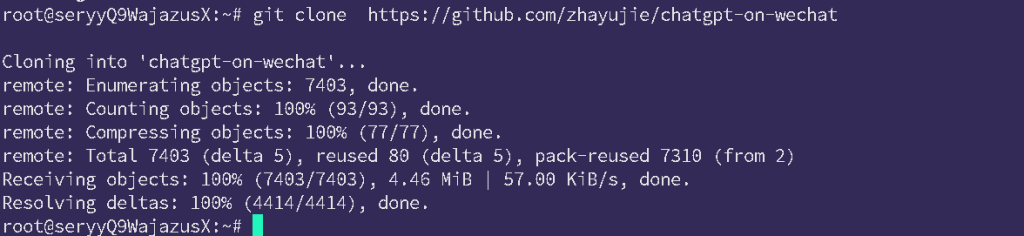
cd chatgpt-on-wechat/
pip install -r requirements.txt
pip install -r requirements-optional.txt
pip3 install zhipuai
cp config-template.json config.json
vi config.json{
"channel_type": "web",
"model": "glm-4",
"zhipu_ai_api_key": "把你一开始注册的智谱AI的API key,粘贴到这里",
"zhipu_ai_api_base": "https://open.bigmodel.cn/api/paas/v4",
"text_to_image": "dall-e-2",
"voice_to_text": "openai",
"text_to_voice": "openai",
"proxy": "",
"hot_reload": false,
"single_chat_prefix": [""],
"single_chat_reply_prefix": "",
"group_chat_prefix": [
"@把这里改成你在群里的昵称"
],
"group_name_white_list": [
"ALL_GROUP"
],
"image_create_prefix": [
"画"
],
"speech_recognition": true,
"group_speech_recognition": false,
"voice_reply_voice": false,
"conversation_max_tokens": 2500,
"expires_in_seconds": 3600,
"character_desc": "你是一个微信机器人, 你旨在回答并解决人们的任何问题,并且可以使用多种语言与人交流。",
"temperature": 0.7,
"subscribe_msg": "感谢您的关注!\n这里是AI智能助手,可以自由对话。\n支持语音对话。\n支持图片输入。\n支持图片输出,画字开头的消息将按要求创作图片。\n支持tool、角色扮演和文字冒险等丰富的插件。\n输入{trigger_prefix}#help 查看详细指令。",
"use_linkai": false,
"linkai_api_key": "",
"linkai_app_code": ""
}cd plugins/godcmd
cp config-template.json config.json
vi config.json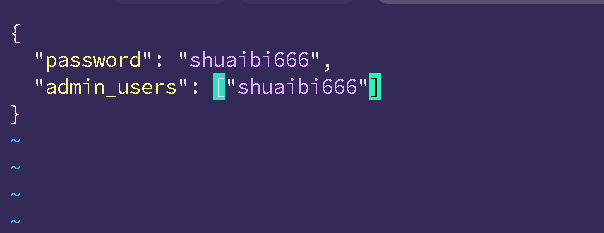
注意这里的users字段里面要加入双引号
重新回到 chatgpt-on-wechat/这个主路径下,点击终端
cd ~/chatgpt-on-wechat/

#然后创建日志文件并启动服务:
touch nohup.out

nohup python3 app.py & tail -f nohup.out